
Home WiFi installation and testing around West Covina
Reliable home WiFi, planned around your property.
We help homeowners improve WiFi coverage, understand network bottlenecks, and plan reliable wired and wireless connections. Serving West Covina and surrounding communities within approximately 40 miles, subject to location and project scope.
On-site work only in that area — see where we cover. Hourly rate USD $30–$100/hr depending on the type of work. Running a business rather than a household? That is business WiFi and network installation.
The free consultation is a conversation, not a visit. Describing your property and the problem costs nothing and carries no obligation. An on-site survey or diagnostic visit is chargeable work with its own agreed scope — it is not included automatically, and we will say so before anything is booked.
Home WiFi and internal network services
What any particular job includes is agreed with you in writing first. Not every item below belongs on every property.
- Coverage assessment and dead-zone investigation — measuring signal and throughput where you actually use the network, to find where it fails and why.
- Access point and router placement planning — where equipment should go given the building, rather than where the cable happens to come in.
- Multi-device and load testing — how the network behaves when several devices are busy at once, not just when one is.
- Wired backhaul and mesh configuration — feeding access points over cable where that is possible, and configuring mesh sensibly where it is not.
- Internal Ethernet and fiber network planning — what to run, where it can physically go, and what equipment each end needs.
- Configuration, verification and handover — set up, checked against what we agreed, and handed over with the settings documented.
Plan for the devices you use, and the speed they need.
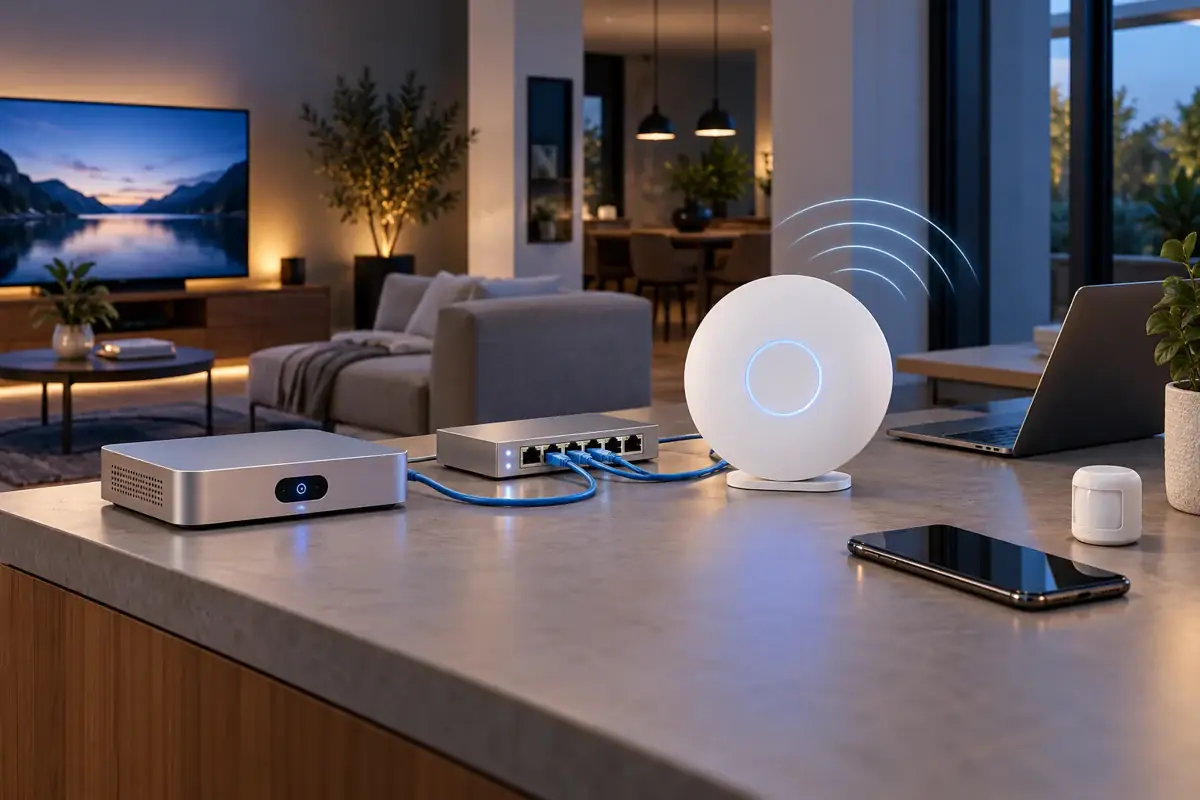
A UniFi Cloud Gateway Fiber can manage routing and the wired network, with separate WiFi 7 access points providing wireless coverage. We choose access points and wired backhaul to suit your property, client devices and internet plan.
Wired capacity
The UCG Fiber offers 2.5 GbE switch ports and 10G connectivity options. Port rates describe supported links, not guaranteed internet or WiFi throughput. Manufacturer specifications.
Speed where you use it
We measure internet throughput, local network performance and latency separately. Actual WiFi speeds depend on the access point, client radio, distance, walls, interference and wired connection.
Devices working together
Test the mix that matters: laptops on calls, phones, televisions, cameras, consoles and smart-home devices. We assess concurrent demand instead of promising a universal device count.
WiFi 7 features require compatible access points and client devices. Existing devices can remain part of the plan; an upgrade is recommended only where it solves a measured need.
Need shared storage, a media library or network-level DNS filtering too? See our home server and mini-rack setup options →.
What “testing the WiFi” actually measures
“The internet is slow” can mean six different things. They have different causes and different fixes, so we separate them.
- Internet (ISP) speed — what your provider is actually delivering to the router, which is the ceiling for everything else.
- Local WiFi performance — what a device gets over the air in a given room, which is usually well below the ISP figure.
- Wired LAN performance — what the cabling and switching carry between points inside the property, independent of the internet.
- Coverage and signal quality — not just bars, but whether the signal is strong and clean enough where you use it.
- Concurrent-device performance — what happens when the household is all on at once rather than one device at a time.
- Latency, jitter and packet loss — where measured. These matter more than raw speed for calls, video meetings and games.
What WiFi cannot do
WiFi moves traffic between your devices and your router. It cannot create bandwidth your internet plan does not include, and it cannot exceed what the device in your hand is capable of. If a laptop has an older wireless card, a faster access point will not make it faster. We measure so you know which of those is actually limiting you before you spend money on hardware.
How we test
We agree a test plan with you before anything runs: what we are measuring, on which devices, and when. Testing happens on your network and on devices you authorise, using controlled traffic we generate ourselves. Load tests can saturate a connection while they run, so anything potentially disruptive is scheduled with you rather than sprung on the household mid-evening.
We do not test, probe or interfere with networks that are not yours — including neighbouring WiFi. Where it is useful, we record the conditions a test ran under so a later re-test is comparable rather than anecdotal.
What we measure with
Coverage. We scan the property with LiDAR to build an accurate floor plan, then record signal and throughput readings against that plan rather than against a sketch. The result is a coverage picture tied to the real layout — where the walls actually are, where the access point actually sits, where the signal actually falls away.
Copper cabling. Links are tested with a Fluke tester, so a run that is miswired, too long, or terminated badly shows up before it becomes an intermittent fault you chase for months.
Fiber. Where there is a fiber link, we measure optical power and loss with an optical power meter to confirm the link is within budget end to end.
Two things we do not do, so nobody is surprised: we do not run OTDR traces, and we do not do fusion splicing. Where a job needs either, we will say so and you can bring in someone who does.

A real network, with live operating data
These cropped screenshots come from ZuluLab’s own UniFi gateway dashboard. They show the kind of operating information we review when investigating network behavior.
Traffic and latency

Gateway uptime

Captured October 25, 2026. These are static screenshots, not a public monitoring feed. Crops exclude IP addresses, account information and device identities. Coverage surveys, load tests and cable checks are separate assessments scoped to your property.
A small rack. A home network that does more.
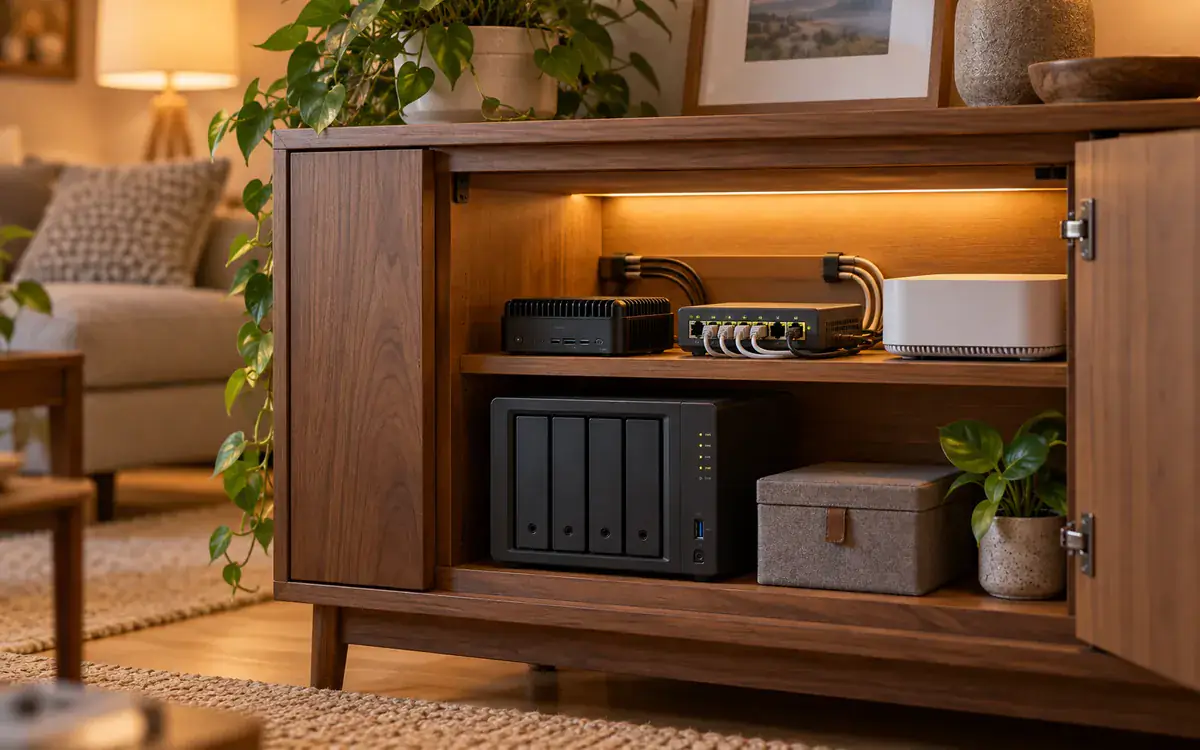
Bring storage, media and network services together in a tidy mini rack. We plan the equipment, cabling, ventilation and access around your space and the way your household uses it.
NAS & shared storage
Network-attached storage for household files, shared folders and device backups, with user permissions and a recovery plan. Drive redundancy is not a substitute for a separate backup.
Media server setup
Organize your own media library and set up compatible playback devices. We scope storage, local streaming and any transcoding requirements around your actual library and hardware.
DNS-based ad blocking
Configure a local DNS filtering service to block selected advertising and tracking domains for devices using it. We include allow-listing and explain bypasses and limitations; it will not remove every in-app or video advertisement.
Installation & handover
Document the layout, accounts, updates and backup responsibilities. Remote access is configured only when required, with access controls agreed before setup.
On-site home setup is available approximately 40 miles around West Covina, subject to location and scope. Hardware, drives, software subscriptions and ongoing support are quoted separately. Explore residential WiFi and network planning →
Your personal media library, organized with Plex
We set up Plex Media Server on a compatible NAS or mini PC, organize your own media folders and connect supported TVs, phones and computers. We size storage and assess direct playback or transcoding needs before recommending hardware.
Setup can include library organization, storage permissions, client-device configuration and playback checks. Remote access is optional and agreed separately. Hardware, storage drives and any Plex subscriptions or paid features are separate from installation work; the features available depend on your Plex plan and equipment.
On-site home setup is available approximately 40 miles around West Covina, subject to location and scope. Discuss your media server setup.
Plex icon: Plex. Plex is a trademark of Plex, Inc. ZuluLab provides independent setup services and is not affiliated with or endorsed by Plex.
When internal fiber is worth it — and when it is not
Internal fiber means fiber cabling inside your property, used as a backbone between points. It is not the same thing as ordering fiber internet service from an ISP — that is a product you buy from a provider, and it arrives at your house whether or not there is any fiber inside it.
Fiber is worth considering for a long run where copper is reaching its practical limit, for a link to a detached garage, studio or second building, or where you want backbone capacity beyond what the existing cabling will carry. It is an option for suitable links, not a requirement for every home.
Five things worth knowing before anyone sells you fiber for a house:
- Fiber does not create wireless coverage. It carries traffic between points. Coverage comes from access points in the right places; fiber may be how one of them is fed, but installing fiber changes nothing a laptop can see by itself.
- It needs compatible equipment at both ends — switches with the right ports, matching optics, and proper termination. The cable alone is not the job.
- Fiber carries no power. Access points that run on Power over Ethernet still need a copper run or a local power source. A fiber link to a remote point often still means a small switch and a power outlet at that end.
- Ethernet is often the right final connection even when fiber is the backbone. Fiber to a hub, copper to the devices, is a normal and sensible shape.
- The recommendation depends on the route. Where the cable can physically go, what installing it costs in that building, what equipment it needs, and what capacity you actually expect to need — those decide it, not the technology being newer.
Installing fiber does not by itself guarantee stability or any particular speed. A well-planned copper network usually beats a badly planned fiber one.
On-site around West Covina
Residential networking is physical work, so it is delivered in person within approximately 40 miles of West Covina, California — subject to the specific location and the scope of the project. In this part of Southern California the practical limit is as much traffic as mileage, so rather than publish a hard boundary we would rather you check the areas we cover and tell us your city or ZIP.
Our software, web and AI work is delivered remotely to clients in the US, Canada, Europe and the UK, and is not limited to this area.
Home WiFi installation pricing
Residential work is billed at our standard range of USD $30–$100 per hour, depending on the type of work. A coverage assessment on a small flat and a whole-property rework with new cabling are very different jobs, so we scope yours before quoting rather than publishing a package price that would not fit anybody.
Travel is charged for on-site work outside the immediate area, quoted with the job so you see it up front. There is no minimum job size — one problem room is a job we will take.
Hardware — access points, switches, cable, optics — is quoted separately from labour and is not included in the hourly rate. The initial consultation is free; an on-site survey or diagnostic visit is chargeable work with its own agreed scope.
Home WiFi FAQ
Do you charge for a home WiFi assessment?
The initial consultation is free: describe the property and the problem and we will tell you how we would approach it and roughly what it involves. That free conversation does not automatically include an on-site survey or a diagnostic visit. Attending the property is chargeable work, and we agree the scope and the rate with you before anyone is scheduled.
Why does my WiFi drop in one room?
Usually one of three things: the signal is too weak by the time it reaches that room, the room is being served by a distant access point when a closer one would be better, or the channel is congested because neighbouring networks are on top of it. Those have different fixes, which is why we measure before recommending hardware.
Can you make my WiFi faster than my internet plan?
No. WiFi carries traffic between your devices and your router; it cannot create bandwidth your internet connection does not have. What better WiFi can fix is the gap between what you pay for and what actually reaches the far end of the house, plus how well the network copes when many devices are busy at once. Your devices have their own limits too — an older phone will not reach modern speeds regardless of the network.
Do I need fiber inside my house?
Usually not. Most homes are served perfectly well by Ethernet. Internal fiber is worth considering for long runs where copper reaches its practical limit, for links between buildings, or where you want backbone capacity beyond what the existing cabling supports. It is a backbone option, not a default, and it is a separate thing from ordering fiber internet service from an ISP.
Do you cover my area?
We work on site in the area around West Covina, California — roughly 40 miles, subject to the location and the scope of the project. Distance in this part of Southern California is as much about traffic as mileage, so tell us the city or ZIP and we will confirm rather than guess.
Can you install a NAS and Plex media server at home?
Yes. We assess compatible NAS or mini-PC hardware, storage, your own media library and playback devices, then agree setup and handover. Hardware, drives and any Plex subscriptions or paid features are separate. On-site work is around West Covina, approximately 40 miles, subject to address and scope.
Do you offer DNS ad blocking for home networks?
Yes. We can configure a supported local DNS filtering service and explain allow-listing and limitations. It blocks selected domains for devices using it and does not remove every in-app or video advertisement.
Is NAS drive redundancy the same as a backup?
No. Drive redundancy is not a separate backup. We agree a backup and recovery approach for your files alongside storage permissions and handover.