Networks & connectivity

Business IT infrastructure for your office or warehouse

Business IT infrastructure planned around your space: reliable WiFi, internal fiber links, structured cabling, switches, gateways and network security. We survey the site, scope the equipment and installation, and document the setup for ongoing support.

On-site work in the Los Angeles area. Network installation is normally quoted as a fixed price once the site survey is done; our hourly range is USD $30–$100/hr depending on the type of work. Request a free initial analysis. Often installed alongside Construction Resource Management System on construction sites and restaurant order management in venues. This page is business networking — offices, restaurants, venues and construction sites. If it is a household rather than a business, see residential WiFi instead: same measurement-first approach, different scale and different equipment.
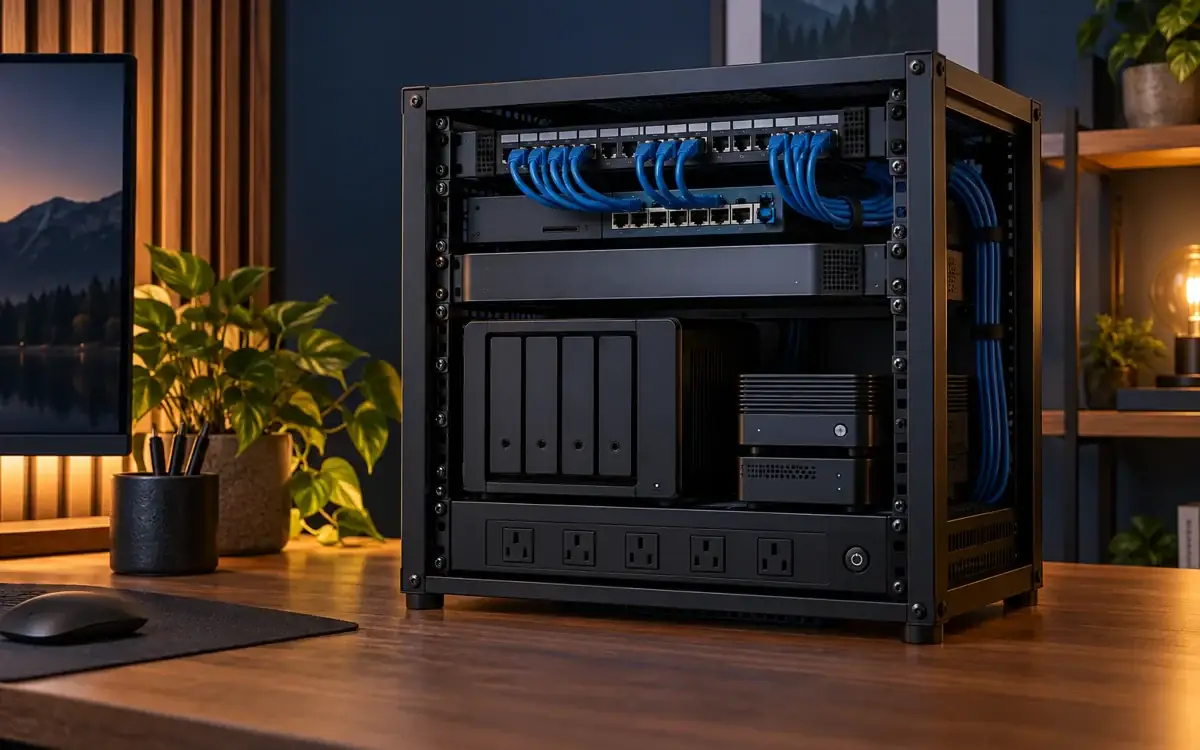
Illustrative small-office mini rack with NAS, gateway, switch and compact server

Illustrative mini-rack setup for a small office; not a completed installation photograph.

What’s included

What’s included

Six stages, delivered as one job. You can take the whole package or just the part you’re missing.

// 01 · Survey

Site survey and WiFi heat mapping

We walk the building and measure real signal strength, channel use and interference, floor by floor. The output is a heat map of your actual space showing where coverage holds, where it drops, and what is causing it — neighbouring networks, microwaves, metal racking, foil-backed insulation. Every design decision that follows comes from this data.

// 02 · Design

Network design and capacity planning

Coverage is the easy half. We size the network for simultaneous devices at your busiest hour, pick channel widths that do not fight each other, plan VLANs — separate virtual networks — for staff, guests, payment terminals and cameras, and specify switch port counts with room to grow. You get a documented design before anyone drills a hole.

// 03 · Cabling

Structured cabling and internal fiber links

Plan structured Ethernet cabling and internal fiber links between switches, racks or buildings where the distance and capacity call for them. We assess cable routes, compatible SFP/SFP+ optical modules and switch ports, then agree installation, labelling and testing. Fiber work depends on the site and agreed scope; specialist splicing is not included unless separately arranged.

// 04 · Install

Access point, switch and firewall installation

Mounting, power over Ethernet (PoE, which powers each access point down its network cable), switch configuration, firewall rules and remote management set up and documented. Access points go where the survey says they should go, not where the cable happens to be easiest. We label every port and hand over the records.

// 05 · Guest WiFi

Guest WiFi and network segmentation

Guest traffic on its own VLAN with client isolation, bandwidth limits so guests cannot starve your card terminals, and an optional branded captive portal. Your point-of-sale, office machines, cameras and storage stay on separate segments that guest devices cannot see or reach.

// 06 · Support

Ongoing support and monitoring

Networks drift. New neighbours appear on your channels, firmware ages, device counts grow. We monitor access point health and client counts, apply firmware updates in maintenance windows, and come back when something needs re-tuning rather than waiting for you to notice it is slow.

Illustration: A clean isometric product illustration of an open compact office networking rack with gateway
Compact rack concept: NAS storage, gateway, switch and a small server, organized for a small office. AI-generated illustration.
Illustration: A studio flat-lay arrangement of separate compact network components: white gateway
Gateway, switch, NAS and DNS filtering server in a compact rack. AI-generated equipment illustration; final hardware is scoped per project.
Who it’s for

Networks we install

Offices, restaurants, warehouses and construction sites: network design around how your business works.

Offices

Dense device counts, video calls that cannot stutter, and a floor plan that changes every time someone reorganises the desks. We design for concurrency and leave headroom so adding a team does not mean re-cabling.

Restaurants

Card terminals and kitchen displays that need to stay connected through service, plus a guest network that can take a full dining room at once. Steel kitchens and brick walls make restaurant coverage far harder than the floor area suggests.

Construction sites

Temporary networks for site offices and cabins, coverage that follows the build as it moves, and hardware that survives dust and weather. Structured cabling for construction sites gets planned around the programme, not against it.

Warehouses

WiFi coverage and wired connections for scanners, workstations and business devices, planned around racking, work areas and building materials.

How we work

Our WiFi installation process

Four stages. You approve a fixed scope and a fixed price before any work starts.

  1. 01

    Site survey

    We walk the building, measure signal and interference, note construction materials and cable routes, and ask what actually breaks today. You get a heat map and a written findings summary.

  2. 02

    Design and quote

    A documented design: access point positions, cable routes, switch and firewall specification, VLAN plan. Priced as a fixed quote so there are no mid-job surprises.

  3. 03

    Install

    Cabling pulled, terminated, tested and labelled. Hardware mounted and configured. Work is zoned and scheduled around your trading or business hours so the whole site is never down at once.

  4. 04

    Verify and hand over

    We re-survey the finished install to prove coverage against the design, walk you through the management tools, and hand over labelled documentation, cable test results and admin credentials.

Business network security

DNS, firewall, DMZ and VPN setup for your business

We scope network controls around the people, devices and services your business uses. Available features depend on the gateway, licensing and the access you need; configuration is agreed and verified before handover.

Illustrative business security architecture showing firewall, VPN, business LAN, isolated DMZ zone and DNS policy
Illustrative architecture, not a diagram of a customer network. Actual zones and access rules are defined for your site.

DNS and filtering policies

Configure approved DNS resolvers, internal name resolution where required and domain filtering supported by your equipment. Filtering has limitations and is one layer of network protection.

Firewall and network segmentation

Define inbound and outbound traffic rules and separate staff, guest, payment, camera and storage devices using suitable network zones. Document the intended access and test it during handover.

DMZ design for exposed services

Where a business service must be reachable externally, scope a separate network zone with restricted routes to internal systems. A business DMZ is not the consumer-router setting that exposes an entire device.

VPN for remote and site access

Configure supported remote-access or site-to-site VPN connections, user access and authentication requirements. Multi-factor authentication is included where supported and agreed; client devices and licensing are assessed first.

For household WiFi, NAS, DNS ad blocking and personal media servers, see Residential WiFi and home networking. Discuss business network security.

Equipment

Hardware we work with

We specify hardware to fit the site and your budget rather than pushing one vendor. Where you already have equipment worth keeping, we design around it.

Wireless access points

Ceiling and wall-mount units, indoor and outdoor, Wi-Fi 6 and Wi-Fi 6E where the client devices can use it.

Switches

Managed PoE and PoE+ switches sized with spare ports, with VLAN and link aggregation support.

Firewalls and routers

Business firewalls with VLAN routing, VPN for remote access, and content and threat filtering.

Cabling and containment

Copper and fibre to current standards, with patch panels, cabinets, trunking and labelling.

Network management

Controller or cloud-managed platforms so coverage, client counts and faults are visible remotely.

Power protection

UPS protection for the rack so a brief outage does not take down payments or door access.

What you receive

Deliverables and handover

  • Survey stage: coverage measurements recorded against a LiDAR-scanned floor plan of the site, plus a written findings summary.
  • Design stage: access point positions, cable routes, switch and firewall specification, and a VLAN plan.
  • Install stage: labelled cabling, every copper link tested with a Fluke tester, optical power and loss measured on any fiber link, and configured hardware.
  • Handover: a re-survey against the design, labelled documentation, the cable and fiber test results, and admin credentials.
  • Ongoing support: offered as a separate arrangement rather than bundled, so you only pay for it if you want it.

Service area: this is physical work — surveys, cabling, mounting and racking — so we deliver it in person in the Los Angeles area. Tell us where the building is and we will confirm coverage before quoting.

Pricing

Business WiFi installation pricing

Network installation is physical work, and the cost is driven by things we can only establish on site: the size and construction of the building, how many access points the survey shows you need, how far the cable runs are, and whether existing cabling and switching can be reused. That is why the site survey comes first.

Once the survey is done, this kind of work is normally quoted as a fixed price rather than hourly, so you know the number before anyone starts pulling cable. Hardware is quoted separately from labour and is not included in our hourly rate. Where work is billed by the hour instead, our range is USD $30–$100 per hour depending on the type of work.

The initial consultation and scope estimate are free. On-site work is delivered in the Los Angeles area.

Request a Site Survey

Questions

Business WiFi installation FAQ

Do I need a site survey before WiFi installation?

For anything beyond a single small room, yes. A wireless site survey measures how signal actually behaves in your building rather than how it should behave on paper. Concrete cores, metal shelving, mirrored glass, commercial fridges and stud walls all absorb or reflect 5 GHz and 6 GHz signal differently. The survey produces a heat map showing real coverage and interference, which is what tells us how many access points you need and exactly where they mount. Skipping it is the single most common reason a new WiFi install still has dead zones.

How many access points does my space need?

It depends far more on construction materials and simultaneous device count than on floor area. An open-plan office with plasterboard walls may cover 2,000 square feet from one well-placed access point, while a restaurant with a brick feature wall, a steel-lined kitchen and 120 guest phones at peak service can need three or four for the same footprint. We size from the survey data and from your real peak concurrency, not from a square-footage rule of thumb.

What is the difference between mesh WiFi and multiple access points?

Mesh nodes relay traffic between each other over the air. How much throughput that costs depends on the hardware and the site: a system with a dedicated backhaul radio holds up far better than one sharing a single radio between backhaul and clients, and distance, interference and the number of hops all matter. Cabled access points sidestep the question, because each one has its own wired path back to the switch instead of relaying through its neighbours. That does not make capacity unlimited — every access point still shares the switch uplink and your internet connection — but it removes the per-hop relay penalty. Mesh is a reasonable answer where running cable is genuinely impractical. Where cable can be run, it usually earns its cost. We will tell you which one your site actually needs.

Can you install network cabling in an occupied office or restaurant?

Yes. Most of our cabling work in occupied premises happens outside trading or business hours, in zones, so there is no day where the whole site is down. We pull and terminate cable for one area, test and cut it over, then move to the next. For restaurants that usually means overnight or between service; for offices, evenings or weekends. We agree the zone order and the cutover windows with you before any cable is pulled.

Can you provide guest WiFi that is separate from our business network?

Yes, and we recommend it for every business install. Guest traffic goes on its own VLAN with client isolation turned on, so guest devices can reach the internet but cannot see your point-of-sale terminals, office computers, cameras or file storage. You can set a bandwidth ceiling for guests so a few large downloads do not slow down card payments, and apply a captive portal with your own branding and terms if you want one.

How much does business IT infrastructure work cost?

Cost is driven by the number of access points, how much cable has to be pulled, how difficult the cable routes are, and whether you need new switching and firewall hardware. A single-floor office with accessible ceiling voids is straightforward; a listed building, a live construction site or a restaurant with a finished ceiling takes considerably more labour. We quote a fixed price after the site survey rather than estimating blind, so the number you approve is the number you pay.

Can you set up DNS filtering, a firewall and VPN access?

Yes. We assess your gateway, licensing, client devices and required access, then scope supported DNS policies, firewall rules and remote-access or site-to-site VPN connections. Features, authentication and ongoing maintenance are agreed before setup.

What does a business DMZ mean?

A DMZ is a separate network zone used to isolate externally reachable services from internal business systems. We scope the access routes and firewall rules. It is not the consumer-router option that exposes a whole device to unsolicited internet traffic.

What happens next

Email us and we’ll reply with whether we’re a fit and what the next step looks like. It helps if you include:

  • The building type and approximate size
  • How many people and devices use it
  • What breaks or drops out today
Request a Site Survey Call Us

Book a site survey.

Email us with the building type, approximate size, and what breaks today and we’ll come back with next steps.